 By admin-codelyx
1. The 3 Main Tiers of AI Automation Costs
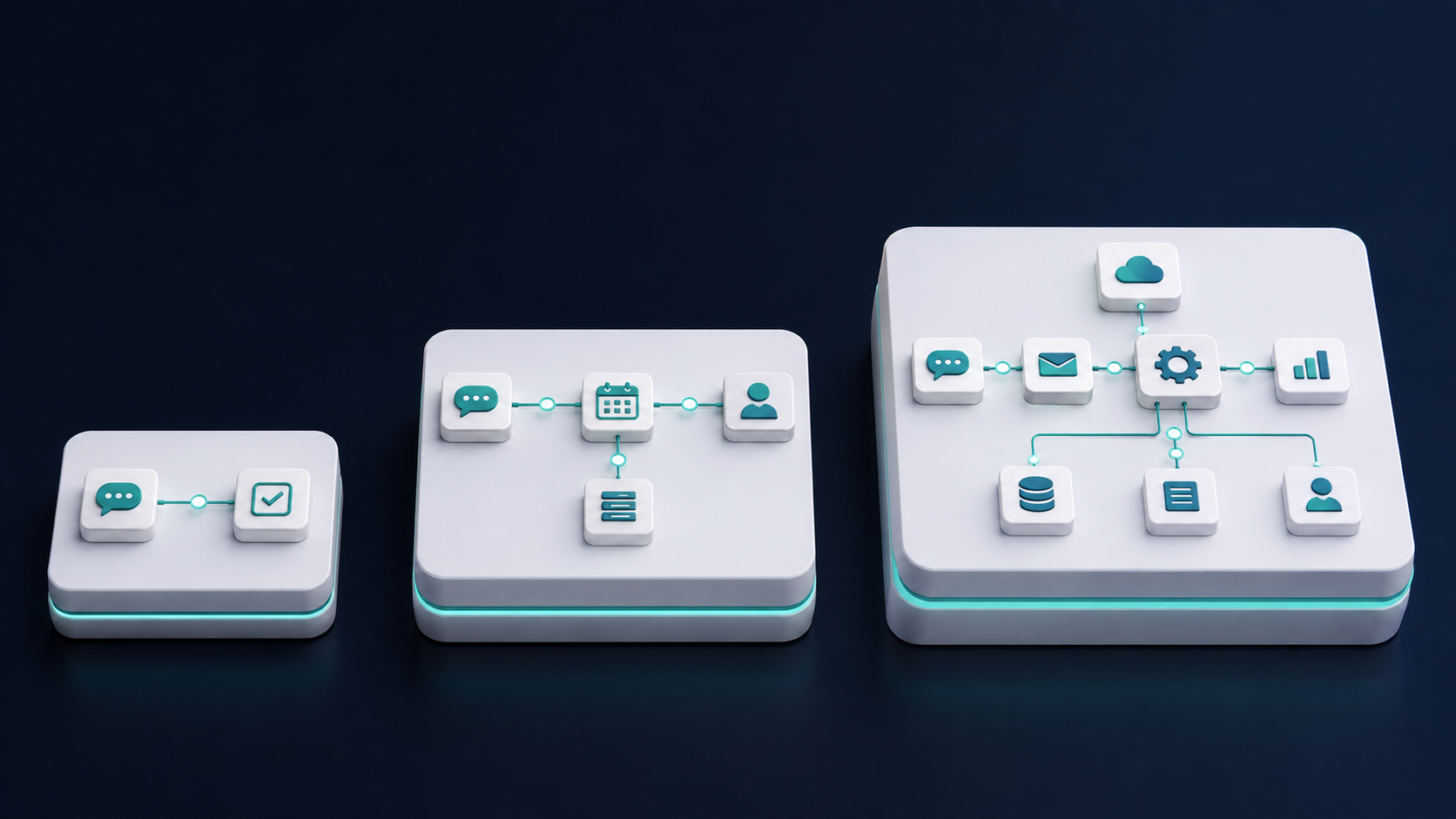
To set expectations correctly, business AI automation generally falls into three budget tiers based on project scope and technical requirements:
Tier 1: DIY No-Code Automation ($50 – $300 / month)
This approach relies on existing off-the-shelf software and drag-and-drop workflow builders (like Make.com, Zapier, or OpenAI API key usage). It requires no custom code, but requires internal team time to set up and manage.
- Ideal for: Solopreneurs and teams under 5 people looking to automate basic tasks.
- Common setup: Connecting form submissions to CRMs, auto-replying to customer support emails, or auto-generating social media captions.
- Initial Setup Cost: $0 (internal labor only).
Tier 2: Managed Agency & Low-Code Workflows ($1,500 – $5,000 setup + $200–$500/mo)
At this level, you hire an specialized technology team to design, build, and connect your business systems. Workflows often include custom web scraping, multi-step AI logic, database syncs, and dedicated prompt engineering.
- Ideal for: Growing small-to-midsize businesses (SMBs) with 5 to 50 employees looking to eliminate daily manual bottlenecks.
- Common setup: Automated lead qualification chatbots, custom document processing, automated invoice parsing, and multi-channel lead distribution.
- Initial Setup Cost: $1,500 – $5,000 one-time setup fee.
Tier 3: Custom Enterprise AI Agents & Systems ($10,000 – $35,000+ setup)
Enterprise solutions feature bespoke AI agents trained on private company databases, custom API development, advanced security protocols, and deep integration with proprietary software infrastructure.
- Ideal for: Established companies with complex data pipelines, strict security guidelines, or high-volume transactions.
- Common setup: Autonomous customer service agents, automated financial auditing pipelines, and custom internal AI knowledge assistants.
Pro Tip: Most growing SMBs achieve the highest ROI by starting in Tier 2—letting experts build reliable systems while keeping monthly software overhead low.
2. Core Components That Drive AI Automation Pricing
When calculating costs, business owners must account for several moving parts rather than just a single invoice:
A. Software Subscriptions & Automation Platforms
Workflow automation platforms serve as the glue holding your systems together. Platforms charge based on execution volume or monthly task usage:
- Integration Platforms (Zapier / Make): $20 – $150/month depending on task volume.
- Web Scraping & Data Extraction Tools: Exploring curated tools from platforms like Automatio’s web automation guide can help budget for no-code data extraction tools ($50–$200/mo).
B. AI API Usage Costs (Tokens)
Large Language Model (LLM) providers charge per token (roughly 3/4 of a word). For standard text tasks, API expenses are surprisingly low—often under $20 to $50 per month for moderate usage.
C. Development & Custom Integration Costs
Building customized solutions often involves reviewing modern software engineering best practices to ensure secure data handling, seamless web API integrations, and scalable code structures.
4. Calculating Your Payback Period & ROI
To validate if an AI automation investment makes financial sense, compare project costs against hours saved and revenue gained.
Example ROI Scenario:
Imagine an operations team spending 12 hours per week manually copy-pasting lead data, generating proposals, and routing tasks. At an effective cost of $35/hour, manual labor costs $1,680 per month ($20,160/year).
If a custom AI workflow costs $3,500 to build with a $150/month platform fee:
- Year 1 Total Cost: $3,500 + ($150 × 12) = $5,300
- Year 1 Savings: $20,160 − $5,300 = $14,860 net profit
- Payback Period: Under 3 months
5. DIY vs. Hiring an AI Automation Agency
Choosing between building internally and hiring experts comes down to time versus budget:
| Factor | DIY (In-House) | Agency (e.g., Codelynx) |
|---|---|---|
| Upfront Cost | Low ($50 – $300/mo) | Moderate ($1,500 – $5,000) |
| Time Investment | High (40-80+ hours of testing) | Low (1-2 hours consultation) |
| Reliability | Medium (Trial & error) | High (Battle-tested architecture) |
| Scalability | Limited to basic apps | High (Custom APIs & code) |
6. How to Budget for Your First AI Project
If you are ready to explore AI automation without overspending, follow these three practical steps:
Step 1: Pick One Bottleneck
Do not attempt to automate your whole company at once. Pick one repetitive task that wastes at least 5 hours per week.
Step 2: Set a Cap Budget
Allocate a starting budget ($1,500 to $3,000) dedicated strictly to proving ROI on that single workflow.
Step 3: Measure & Reinvest
Once your initial automation saves time and yields positive returns, reinvest those savings into your next operational bottleneck.